Choosing an Anti-Blue Light Screen Protector in 2026 means comparing more than product labels. Options include clear films, matte coatings, tempered glass, and privacy filters. Each changes the screen in a different way. A matte protector can soften reflections from a bright office window, while thicker glass may feel smoother under a fingertip. Privacy filters can narrow the viewing angle, but they may also make the display seem dimmer.
Look for published information about light transmission, coating performance, thickness, and compatibility with your device. These details offer a more useful basis for comparison than vague claims alone. Still, one label can hide a lot. Results may differ between products, screen settings, and viewing conditions, so treat broad promises with care. Blue-light filtering also does not address every cause of eye discomfort. Glare, low brightness, long sessions, and dry eyes can matter too.
This guide explores the main protector types and the practical trade-offs behind them. It considers installation, clarity, touch response, durability, and everyday use, from reading messages on a phone to working at a desktop monitor. A protector should fit well and preserve a screen’s usability, not just sound convincing in an advertisement. Check the device model, inspect the product specifications, and consider your lighting before choosing. Some compromises remain. That is worth remembering.
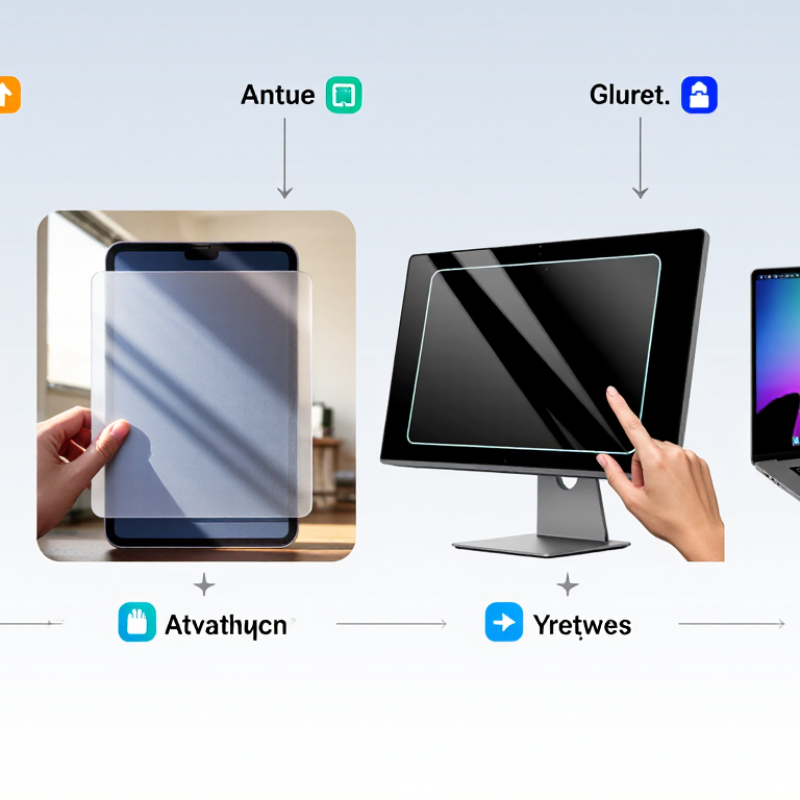
Blue-light filtering screen protectors generally use absorption, reflection, or a combination of both. Absorptive films contain additives that reduce selected wavelengths as light passes through. Their surface may look clear, slightly warm, or faintly amber, depending on the material and filtering range. In everyday use, a white webpage can appear less crisp or subtly yellow. That color shift is useful to notice before choosing a protector for photo editing or design work.
Reflective coatings use thin optical layers to bounce back portions of incoming light. Their performance depends on the coating design, viewing angle, and screen brightness, so published percentages are not always directly comparable. Some protectors combine reflective layers with absorbing materials, but extra layers can affect glare, clarity, and touch response. Small differences matter.
When comparing products, look for wavelength-specific test data rather than a broad “blue-light blocking” claim. Check whether measurements cover the visible spectrum and whether the test describes the finished protector, not just its raw material. I’ve found that a filter’s visible tint can be more noticeable at night, while bright daylight may mask it. Filtering does not guarantee better sleep or prevent eye strain; comfort varies, and screen breaks still matter. The trade-off deserves a careful look.
Top Anti Blue Light Screen Protector Types in 2026
Major Anti-Blue-Light Screen Protector Types in 2026
Anti-blue-light screen protectors generally use a filtering coating, a tinted layer, or both. Clear films preserve the screen’s usual appearance, while amber-tinted protectors block more blue wavelengths but can noticeably warm colors. Tempered-glass versions add impact protection, though filtering strength varies by product. Matte films reduce glare and fingerprints; they may also soften fine text. Check published transmission data when available, rather than trusting a “blue-light blocking” label alone.
The right type depends on how you use your device. For photo editing, a clear protector may distort colors less. For evening reading, a mild tint can feel more comfortable, but it is not a proven fix for sleep problems or digital eye strain. Evidence on these benefits remains mixed. A protector can also reduce brightness or clarity, and installation may leave tiny dust spots. Annoying, but real.
Tips: Compare color shift, clarity, touch response, and filtering claims before buying. Clean the screen carefully and test the protector in your usual lighting. If eye discomfort persists, take regular breaks and consider professional advice.
Top Anti Blue Light Screen Protector Types in 2026
Materials and coatings shape more than blue-light transmission. They also affect sharpness, glare, and the colors you see. Absorptive films use filtering materials within the layer. They may give whites a warmer cast. Reflective coatings redirect some light, but can add reflections or faint color shifts. Clear tempered glass often preserves a crisp image, though its adhesive and surface finish can influence haze. Small shifts matter.
There is no perfect filter. A stronger tint can make a screen feel less bright, yet distort photo colors and skin tones. DataReportal’s Digital 2024 Global Overview estimated average daily internet use at 6 hours and 40 minutes worldwide. That figure describes internet use, not screen-protector performance; it does show why everyday viewing comfort deserves attention. Compare samples on your own display, with a white page and a familiar photo. Check them in daylight, too. A shop’s lighting can hide a warm tint.
Tips: Look for published measurements of light transmission and haze, not just “blue-light blocking” claims. If accurate color matters, test a sample before applying it. Clean installation helps prevent dust specks and edge haze, though even careful fitting can be imperfect.
How materials and coatings can affect blue-violet attenuation and visible-light transmission
The chart compares two optical measures: attenuation of blue-violet light (approximately 400–450 nm) and visible-light transmission. Values are illustrative comparison points, not standardized or independently measured specifications; actual performance varies by product. Selective coatings may reduce some blue-violet light with less visible color shift, while absorptive tints can attenuate more light but may alter screen colors. Matte surfaces primarily reduce reflections and can affect perceived sharpness.
In 2026, choosing an anti-blue-light protector means checking its material and exact-device fit, not just its tint. Tempered glass resists scratches and brief impacts, but exposed corners can still chip. Flexible film bends around curved screens, though it may show nail marks sooner. Hybrid layers offer a middle ground, but their performance varies. Ask for abrasion and haze results measured under ASTM D1044 and D1003. These methods assess wear and optical clarity, not health outcomes. Fit is everything.
IDC recorded 1.24 billion smartphone shipments in 2024, up 6.4% year over year, in its Worldwide Quarterly Mobile Phone Tracker. That changing model mix makes camera openings, speaker slots, curved edges, and in-display fingerprint sensors essential compatibility checks. Edges matter. Confirm the exact device model and case clearance before buying; a narrow gap can collect dust, while poor sensor alignment may reduce touch response. Durability also has a wider context: UNITAR and the ITU’s Global E-waste Monitor 2024 reports 62 million tonnes of e-waste generated in 2022, with 22.3% formally collected and recycled. That figure does not prove protectors reduce waste. Still, longer device life deserves attention. Comparable long-term wear data is scarce, so a tidy lab result may not predict months of pocket grit and repeated cleaning. I’d treat that claim cautiously.
| Protector type | Typical construction | Blue-light filtering | Durability | Clarity and color | Device compatibility | Best suited for |
|---|---|---|---|---|---|---|
| Blue-light-filtering tempered glass | Rigid glass with a filtering layer or optical coating | Varies by product; check the published wavelength range and transmission data | High resistance to everyday scratches; can crack or chip after a hard impact | Usually clear, though some versions add a slight warm tint | Commonly available for phones and tablets; edge fit, case clearance, and fingerprint sensors can affect compatibility | Users who want a firm glass feel and added surface protection |
| Blue-light-filtering PET film | Thin, flexible polyester film with an optical filtering layer | Varies by film; filtering strength depends on its materials and coating | Moderate; lighter and more prone to scratches than tempered glass | Typically clear, but coatings may slightly change screen appearance | Suitable for many flat phone, tablet, and laptop displays; precise sizing is important | Devices where a thin, lightweight protector is preferred |
| Blue-light-filtering TPU or hydrogel film | Flexible, elastic polymer film, often supplied in a thin sheet | Varies by formulation; confirm performance data for the specific film | Moderate; flexible and less likely to shatter, but can mark or wear over time | Often preserves touch response; may feel softer or show more surface texture than glass | Can fit curved screens more closely; installation quality and sensor cutouts matter | Curved displays or users who prefer a flexible, non-glass surface |
| Matte anti-glare film with blue-light filtering | Textured film, commonly PET-based, with an anti-glare surface and filtering layer | Depends on the filtering layer; the matte finish itself does not establish blue-light performance | Moderate; the textured surface can show wear or fine scratches | Reduces reflections but can make the image look slightly grainier or less crisp | Available for many phones, tablets, and laptops; works best when cut precisely to the display | Bright environments, note-taking, or users who dislike screen reflections |
| Privacy filter with blue-light filtering | Layered film or glass that narrows side viewing angles, sometimes with an additional filtering layer | Not inherent to privacy filters; verify that blue-light filtering is separately specified | Varies by material: glass versions are generally more rigid, while film versions are more flexible | Often reduces brightness and viewing angles; may alter color or contrast | Model-specific fit is important; may interfere with some under-display fingerprint readers or touch functions | People seeking both screen privacy and a separately verified filtering feature |
| Clip-on or removable screen filter | Removable optical panel or sheet placed over a display | Depends on the filter material and its documented spectral performance | Reusable, but can scratch or become loose if stored or handled carelessly | May add reflections or reduce brightness; easy to remove when color accuracy matters | Best for compatible laptop or monitor sizes; less convenient for touchscreens and portable devices | Shared workstations or users who need a removable option |
| Comparison note: “Blue-light filtering” is not a standardized performance level across all screen protectors. Actual filtering depends on the product’s optical design; review independent spectral-transmission measurements where available. Durability and compatibility also vary by model, installation, and use. | ||||||
A screen protector should fit the device and the way you use it, not just promise blue-light reduction. For a phone, a thin film preserves touch response and slips easily into a pocket. A tempered-glass option feels firmer under the thumb, though its extra edge can catch on some cases. Tablets used for reading benefit from a larger, clear surface with low glare. On a desktop monitor, a removable panel may suit shared workspaces better than adhesive film. Fit matters. Check your screen’s dimensions and camera openings before buying.
Tips: Match the protector to your daily setting. Choose a matte finish for bright rooms, but expect a slightly softer image. Clean the screen with a lint-free cloth before installation, and apply the protector slowly to avoid trapped dust. Small bubbles are annoying.
Be cautious with claims that a protector will prevent eye strain or improve sleep. Screen comfort also depends on brightness, room lighting, viewing distance, and breaks. I’ve seen people focus on the blue-light label and overlook glare from a nearby window. That is an easy detail to miss. Compare clarity, fit, and return terms, then judge the protector during ordinary use.