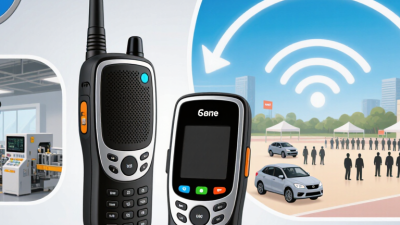
Choosing the right intercom can make a busy entrance feel calmer and more secure. For businesses, intercoms now do more than carry a voice from a lobby to a desk. Many systems combine video calling, mobile access, visitor management, and integrations with existing security tools. The right setup depends on the building, staff routines, and the people who need access each day.
This guide compares 10 business intercoms for 2026, focusing on practical factors rather than feature lists alone. We consider call quality, access options, installation needs, software compatibility, support, and ongoing costs. A sleek screen is useful, but not if visitors cannot understand it or staff miss calls during a rush. Small details matter.
There is no single best choice for every workplace. A small clinic may value simple visitor handling, while a multi-site office may need centralized management and detailed access controls. Product specifications also cannot show every real-world frustration, such as a confusing app or a slow response from support. Those gaps deserve attention. Use this overview to shortlist suitable systems, then confirm current pricing, compatibility, and service terms with each provider before making a decision.
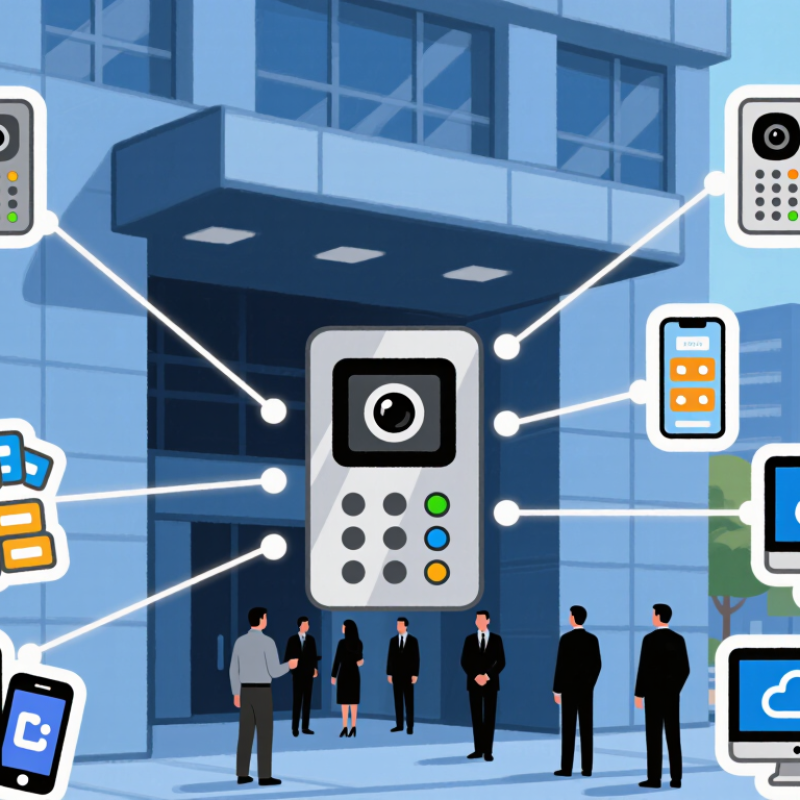
Business intercom systems connect staff and visitors through audio, video, or both. A typical setup includes entrance stations, indoor handsets or desk consoles, speakers, microphones, network links, and management software. Some systems also support mobile devices, door release, paging, and call routing. Features vary, so check real workflows rather than assume every unit does everything.
At a clinic, a receptionist can answer a side entrance without leaving the desk. In a warehouse, paging can reach staff across noisy aisles, while desk-to-desk calls reduce walking. Clear two-way audio is the baseline. Video can help identify a delivery or guide a visitor, but it needs suitable lighting and careful camera placement. Small details matter. A microphone near a loud fan can make even a capable system frustrating.
Before choosing, map entrances, work areas, peak traffic, and who must respond after hours. Check power and network reliability, sound coverage, accessibility needs, and how quickly staff can learn the controls. Not always obvious. A system may look simple in a demo and feel awkward during a busy shift. Test representative locations and keep a fallback process for outages. Coverage maps are estimates; real buildings have dead zones. That takes testing.
Choosing among the best business intercoms in 2026 starts with the building, not the feature list. Wired systems connect stations through physical cabling and can provide steady communication in offices, clinics, and multi-floor sites. They work well where construction or renovation allows cables to be installed neatly. Retrofitting older walls, however, may add labor and cost. Not always practical.
Wireless intercoms reduce cabling and can suit temporary work areas or buildings where installation changes often. Their performance depends on distance, walls, and signal congestion. Test coverage near elevators, storage rooms, and loading bays before choosing a system. A clear signal in the lobby proves little about the basement.
IP intercoms carry communication over a data network, making them useful for sites with several entrances or remote staff. Check network capacity, power needs, and access controls with the IT team.
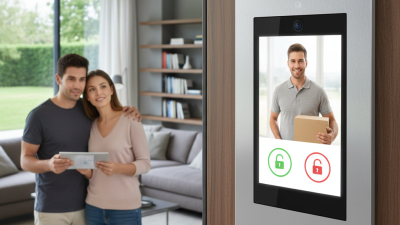
Video intercoms add visual context, such as seeing a delivery person at a side entrance, but require good camera placement and sensible data handling. More capability is not always better. A small office may need dependable audio more than a complex screen.
Actual performance varies by layout, network quality, and daily use, so compare systems under realistic conditions before deciding.
For business intercoms, PoE capacity affects more than installation convenience. It sets the power available to the camera, display, speaker, and network interface. IEEE Std 802.3-2022, Clause 33, specifies up to 15.4 W at the source for 802.3af and 30 W for 802.3at. After cable losses, a powered device can receive up to 12.95 W or 25.5 W, respectively. The distinction matters. A device advertised as “15.4 W compatible” does not necessarily receive 15.4 W at its port.
Check the complete load, not just the idle figure. A bright screen, active camera, and loudspeaker can raise demand during a call. Some door hardware also needs a separate power supply. Leave headroom. A tight budget may work in a quiet test, then falter during real use. That’s easy to miss. For a practical benchmark, compare the intercom’s maximum input draw with the switch’s per-port budget, then verify performance over the installed cable run. IEEE’s figures are standards-based limits, not a guarantee that every cable, connector, or installation delivers the same result. Measure it onsite.
IEEE 802.3af provides up to 15.4 W at the power sourcing equipment (PSE) and 12.95 W at the powered device (PD). IEEE 802.3at provides up to 30 W at the PSE and 25.5 W at the PD. The difference reflects power lost across the Ethernet cable.
Choosing among the 10 best business intercoms in 2026 starts with the building, not the feature list. Basic wired audio suits small offices; wireless units fit leased spaces. IP systems connect multiple floors, while video intercoms help reception staff identify visitors. Desk-to-door units serve clinics and studios. Multi-tenant panels handle shared entrances. Mobile-connected systems suit managers away from reception. Rugged outdoor stations work at loading bays. Paging systems cover warehouses. Emergency call stations fit isolated work areas. Some options overlap, and that can make comparisons less tidy.
Costs vary by building size, wiring, and installation. A simple audio kit may cost a few hundred dollars, while video or networked systems can reach several thousand. Cloud services may add recurring fees. Get a written quote that separates equipment, labor, subscriptions, and support. Ask how the system performs during an internet outage; advertised features do not always answer that.
Tips: Test call clarity from the noisiest room, not just the front desk. Check door-release compatibility before ordering. Keep one spare handset if daily operations depend on it. Small detail, big relief. Review privacy settings and user access with staff, too. It is easy to overlook training, and a sophisticated system can still confuse visitors.
Intercoms in 2026 should be evaluated as building systems, not isolated door devices. Start with a coverage map: entrances, loading areas, reception desks, and rooms with weak Wi-Fi. Test calls during busy hours, with doors closed and background noise present. A clear call at a quiet desk proves little. Include backup power and network failure in the test plan.
Security and integration need equal scrutiny. Check role-based access, encrypted communication, audit records, and a clear process for removing former staff. Confirm the system can connect to existing access controls, directories, and mobile workflows without creating duplicate records. Ask who maintains updates and how quickly faults receive support. Total cost of ownership includes installation, cabling, subscriptions, repairs, training, and replacement parts—not just the quoted hardware. A low upfront price can become expensive. Still, cost estimates are imperfect; building changes and support delays are easy to underestimate.
Tips: Walk the site before choosing equipment. Record dead zones and peak visitor times. Request a pilot at one busy entrance, then measure missed calls, response time, and user complaints. Keep the checklist simple. Revisit it after a month; real use may expose assumptions the sales demonstration missed.