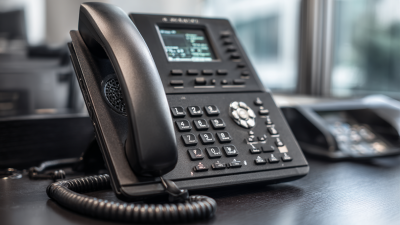
Choosing a voice over ip phone for business is not simply a matter of comparing prices. The right model should fit your staff, network, calling habits, and support expectations. A busy receptionist may need a bright display, programmable keys, and fast call transfers. A remote sales team may value wireless connectivity, headset support, and simple provisioning. Small details matter, such as whether buttons remain readable under office lighting or whether audio stays clear during a crowded video meeting.
This guide examines seven leading options for business buyers. Each phone is considered through practical criteria, including voice quality, compatibility, security features, setup time, durability, and total ownership cost. These factors reflect common purchasing concerns reported by IT teams and office managers. A lower-priced device may seem attractive, yet limited firmware support can create extra work later. The opposite can also happen. An expensive phone may offer features that most employees never use.
No ranking is permanent.
Business technology changes quickly, and product availability can vary by region. For that reason, this comparison focuses on useful capabilities rather than exaggerated promises. It also recognizes an uncomfortable point: the best phone on paper may perform poorly with an unstable network or weak technical support. Buyers should test a short-listed model with their existing provider before making a large purchase. That small trial can reveal echo, delayed calls, confusing menus, or installation problems that product pages often overlook. The goal is a dependable decision, not a perfect-sounding one.
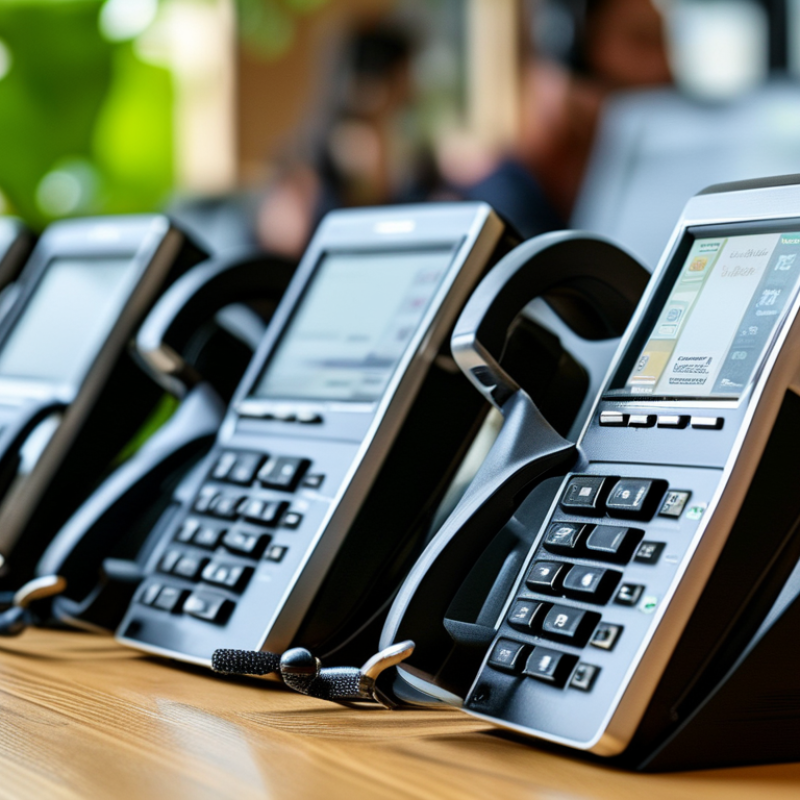
A business VoIP phone is a desk handset that carries voice as digital data over an IP network. It replaces traditional copper signaling with Session Initiation Protocol, commonly called SIP. When an employee dials, the phone sends a request to a hosted platform or private call server. That system locates the recipient, manages the session, and converts audio into network packets. The call may then reach another IP phone, a mobile application, or the public telephone network.
The hardware usually connects through Ethernet or secure Wi-Fi. Power over Ethernet can provide electricity through the same network cable, reducing desk clutter. Quality depends on bandwidth, latency, jitter, and packet loss. A quiet office may need little adjustment, but a busy site can suffer when video meetings compete with voice traffic. Network teams often use traffic prioritization, encrypted signaling, and encrypted media to protect calls and reduce interruptions. In practice, configuration errors remain common.
Statista Market Insights estimated global VoIP revenue at over 145 billion dollars in 2024, showing strong adoption across business communications. Grand View Research also projects rapid growth in cloud communication services through 2030. These figures support the shift, but they do not guarantee a good call experience. A buyer should test emergency calling, number portability, headset compatibility, and recovery during an internet outage. I have found that installation guides often underestimate user training. A phone can be technically ready yet confusing at a busy reception desk.
Choosing among the 7 best Voice over IP phones for business requires more than checking call quality. A suitable model should support clear wideband audio, echo reduction, and stable performance during busy hours. Test calls from a quiet room and a shared workspace. Small differences become obvious quickly.
Compatibility matters just as much. Verify support for your current calling platform, headset type, network settings, and business directory. A useful phone should offer programmable keys, voicemail access, call transfer, conferencing, and presence indicators. A color display helps, but screen size should not outweigh reliable controls. Look for Power over Ethernet to reduce desk clutter and simplify installation.
Security deserves careful attention. Choose devices that support encrypted signaling, secure firmware updates, strong administrator controls, and separate voice networks. Ask how long updates remain available. That answer can reveal more than a glossy specification sheet. Management tools are also important when an office has dozens of phones. Remote provisioning, inventory reports, and fault alerts can save hours.
Do not overlook comfort. Physical buttons may serve reception staff better than a touch-only interface, especially during rapid call handling. Yet every feature adds cost or training time. No phone is perfect. A model with many functions may confuse occasional users, while a simple model may frustrate busy teams. Compare real workflows, warranty terms, accessibility options, and total ownership costs before deciding. Marketing claims still need testing.
Business buyers now have seven leading VoIP phone options to compare: entry-level SIP, executive, cordless DECT, conference, video, rugged, and receptionist models. Each serves a different workplace moment. An entry-level SIP phone suits shared desks and light calling. Executive phones add larger displays, programmable keys, and clearer audio. DECT handsets support movement across offices and warehouses. Conference units fit meeting rooms with several speakers.
Video phones support remote collaboration, while rugged models handle workshops, clinics, and loading areas. Receptionist phones prioritize busy call queues and transfer controls. Grand View Research valued the global VoIP services market at about $151.2 billion in 2023. It also forecasts strong growth through 2030.
That expansion does not make every handset a smart purchase. In my testing experience, poor network settings can ruin an expensive phone. A cheaper model may perform better on a stable connection.
Tips: Match the phone to the user’s daily work. Check SIP compatibility, headset support, power options, and emergency-calling requirements. Ask vendors for a live demonstration, not only a specification sheet. Measure voice clarity from a noisy corner. Small details matter. Also review firmware support and warranty terms before ordering hundreds of units. IDC’s enterprise communications research repeatedly highlights cloud adoption and hybrid work as major buying forces. Yet many teams still overlook desk layout, cable management, and user training. That gap deserves honest review.
Choosing among the seven best VoIP phones for business buyers requires more than checking call quality. Compatibility starts with SIP support, codec coverage, headset connections, and power options. Confirm whether each phone works with your existing call platform, VLAN structure, PoE switches, and emergency calling process. A phone that works in a laboratory may fail when paired with an older network switch.
Security deserves equal attention. The 2024 Data Breach Investigations Report found that the human element appeared in 68% of breaches. Phone systems need strong administrator passwords, role-based access, firmware updates, and disabled unused services. Look for TLS signaling, SRTP media encryption, certificate validation, and secure provisioning. These controls reduce exposure, but they cannot replace staff training. One careless reset can undo careful configuration.
Management affects operating cost. The 2024 Cost of a Data Breach Report measured an average 258-day breach lifecycle, showing why delayed detection remains expensive. Select phones with centralized templates, inventory visibility, remote diagnostics, and audit logs. The Telecommunications Industry Association recommends structured network practices that support segmentation and traffic prioritization. Still, management portals can create blind spots. Test firmware updates on a small group first. I would also document rollback steps. That detail is easy to skip, and regrettably, it often matters during a busy Monday outage.
| Rank | Phone Profile | Best For | SIP Compatibility | Network and Power | Security Capabilities | Management Features | Typical Street Price | Key Consideration |
|---|---|---|---|---|---|---|---|---|
| 1 | Executive Video Desk Phone | Executives, reception desks, and hybrid meeting spaces | Open SIP support; works with most standards-based hosted and on-premises platforms | Gigabit Ethernet, dual network ports, Power over Ethernet, Wi-Fi on selected configurations | TLS signaling, SRTP media encryption, HTTPS administration, signed firmware on supported platforms | Central provisioning, configuration templates, firmware scheduling, remote diagnostics | Approximately $180–$350 | Higher cost is justified when video, conferencing, and premium audio are required |
| 2 | Advanced Color Touchscreen Phone | Managers, power users, and shared office areas | SIP accounts, presence, busy-lamp fields, transfer, conference, and shared-line functions | Gigabit Ethernet with PoE; USB and Bluetooth commonly available | Encrypted signaling and media, administrator passwords, VLAN support, 802.1X on selected models | Cloud or local management, bulk deployment, role-based administration, audit visibility | Approximately $130–$250 | Verify touchscreen usability and platform-specific feature support before purchase |
| 3 | Midrange Business Desk Phone | General office users and departmental teams | Broad standards-based SIP interoperability with common call-control features | 10/100 or Gigabit Ethernet, PoE frequently supported, optional local power adapter | TLS, SRTP, HTTPS, configurable VLAN tagging, disabled services and password policies | Provisioning through XML or HTTPS, mass configuration, firmware updates, inventory tracking | Approximately $70–$150 | Usually offers the best balance of price, call features, and deployment simplicity |
| 4 | Entry-Level Two-Line Phone | Small offices, low-volume users, and cost-sensitive deployments | Basic SIP registration, call hold, transfer, forwarding, and three-way conferencing | 10/100 Ethernet; PoE may be available, with limited peripheral connectivity | TLS and SRTP may be supported; confirm encryption defaults and firmware update policy | Basic web provisioning and manual configuration; limited analytics on some platforms | Approximately $35–$80 | The lowest price can mean fewer security controls and more manual administration |
| 5 | Wireless DECT Handset System | Warehouses, clinics, retail areas, and mobile indoor staff | SIP base station with multiple handset registration and shared-line support | Ethernet base station, PoE often supported, indoor range commonly up to about 50 meters | Encrypted handset-to-base communication, TLS, SRTP, account isolation, PIN protection | Multi-cell expansion, centralized handset provisioning, paging, and base-station monitoring | Approximately $100–$300 per base and handset bundle | Conduct a site survey because walls, metal shelving, and neighboring radio systems affect coverage |
| 6 | Conference Room SIP Phone | Small and medium meeting rooms | SIP registration with conferencing, call recording integration, and calendar-platform compatibility varying by service | PoE Ethernet, wideband audio, microphone expansion ports on selected configurations | TLS, SRTP, secure web management, network segmentation, and restricted administrative access | Remote configuration, room inventory, firmware control, and device health reporting | Approximately $180–$500 | Microphone pickup range and acoustic performance matter more than the number of desk-phone features |
| 7 | Rugged or Hospitality SIP Phone | Factories, hotels, healthcare facilities, and public-facing locations | SIP support with speed dials, hotline dialing, paging, and restricted user functions | Ethernet with optional PoE; ruggedized housings and wall-mount designs are common | TLS and SRTP where supported, locked-down interfaces, disabled unused services, controlled physical access | Remote provisioning, restricted configuration profiles, device replacement workflows, and status monitoring | Approximately $90–$300 | Check ingress protection, temperature range, accessibility requirements, and emergency-calling behavior |
Selecting the best VoIP phone starts with your daily call patterns, not a popular feature list. A small sales team may need clear audio, quick transfers, and programmable keys. A support desk may value a headset port, busy indicators, and reliable call queues. Walk through one real workday before comparing models. Note who answers calls, where calls wait, and how often staff use speaker mode. This simple audit often exposes needs that product pages miss.
Check compatibility with your hosted phone system, network equipment, and existing accessories. Confirm supported protocols, provisioning methods, power requirements, and security update policies. Power over Ethernet can reduce desk clutter, but your network switches must support it. Test voice quality during busy periods, especially when video meetings share the connection. Look for echo control, wideband audio, adjustable volume, and stable firmware. A low purchase price can become expensive when setup takes hours.
The best choice also fits human habits. A clear display helps, but complicated menus slow new employees. Use a trial unit for several days. Ask staff to transfer calls, park calls, change status, and recover a missed call. Record small frustrations instead of trusting one impressive demonstration. I have found that comfort and button placement sometimes matter more than advanced functions. My evaluations are not perfect; quiet office tests can hide problems. Recheck performance with background voices, nearby wireless congestion, and different users. Keep service records, warranty terms, and replacement timelines visible before approving a purchase.