What Are the Top Types of Intercom Systems?
Intercoms have moved far beyond the crackling lobby speaker. Today, an intercom system may connect a visitor’s call to a desk handset, a wall monitor, or a staff member’s smartphone. The right type depends on the building, wiring, entry points, and people who need to answer. A quiet home and a busy apartment entrance rarely need the same setup.
MarketsandMarkets’ Intercom Devices Market report estimated the global market at USD 3.2 billion in 2023 and projected USD 4.3 billion by 2028. That forecast suggests steady demand, but it is not a guarantee for any particular product or building. The report also distinguishes systems by technology and use, useful context when comparing wired, wireless, audio, video, and IP-based options. Still, market growth alone cannot tell you whether a system will work reliably through a thick concrete wall.
This guide explains the main intercom types, how they communicate, and where each tends to fit. It also considers practical details: installation work, sound and image quality, access control, and future expansion. A small shop may value a simple audio unit; a multi-entrance property may need video and network connectivity. There is no perfect category for every site. Even a well-reviewed system can disappoint if its network, wiring, or daily workflow is overlooked.
Wired Intercom Systems
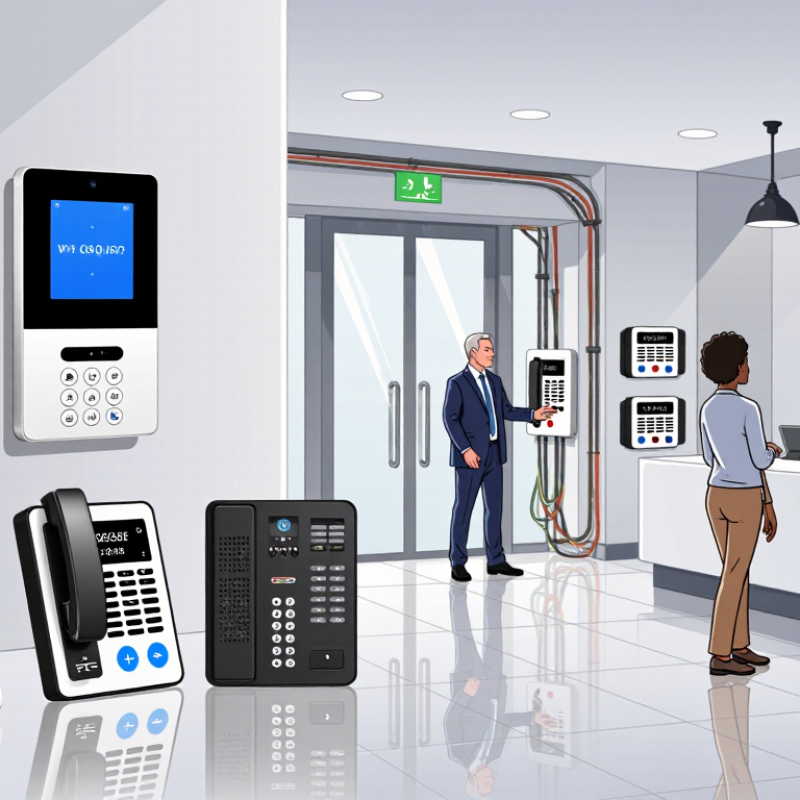
Wired intercom systems connect indoor units and entrance stations through physical cabling. Depending on the design, cables carry audio, video, control signals, or power. This direct connection can provide steady communication, especially in buildings where wireless signals struggle behind concrete walls or across several floors. That matters.
Installation needs planning. A technician should map cable routes, measure distances, and check the system’s wiring requirements before walls are closed. Long runs may need suitable cable or additional equipment to maintain signal quality. Keep intercom wiring separated from electrical lines where possible, since interference can affect performance. Test each station, door release, and video feed before finishing the installation.
Wired systems can suit new construction, apartment buildings, offices, and homes with existing conduits. In older properties, adding cables may mean drilling, patching, and extra labor. The trade-off is easy to underestimate. Once installed, a damaged cable can be harder to replace than a wireless device, but physical connections can also make faults easier to trace. A useful site assessment should consider building layout, expected users, future expansion, and access for repairs—not just the initial equipment cost.
Top Types of Wired Intercom Systems
A comparison of the conductors commonly used for audio or data connections.
Two-wire analog systems use one pair for audio, while four-wire systems use separate pairs for transmit and receive. Standard Cat5e/Cat6 Ethernet cable contains four twisted pairs (eight conductors); an IP intercom may use only some pairs, depending on the network and power requirements.
Wireless Intercom Systems
Wireless intercom systems carry speech over radio links or local IP networks, so they avoid long audio cables between rooms, gates, and work areas. A portable belt-pack lets a technician answer while moving; a fixed station can keep reception and visitor entry within easy reach. The International Telecommunication Union’s Facts and Figures 2024 estimated that 5.5 billion people were online, highlighting how widely connected infrastructure has become. That figure does not measure intercom traffic, but it makes careful network planning relevant for IP-based systems.
Walls matter. Concrete, metal shelving, elevators, and busy radio channels can weaken a signal or create brief dropouts. Before installation, test calls along the actual route, with doors closed and equipment running. Check battery life during a full shift, not just a quick demonstration. For larger sites, map coverage and confirm that access points or repeaters do not leave stairwells and loading areas uncovered. A private radio setup may work without internet access; an IP-based system may offer easier links between distant locations but depends on the local network. One limitation is easy to overlook: a strong signal does not guarantee clear speech. Measure audio quality in noisy areas, and keep a practical fallback for critical communication.
Audio Intercom Systems
Audio intercom systems let people communicate by voice between rooms, entrances, or separate buildings. They can use wired connections or wireless links, depending on the site and installation needs. Some systems support hands-free, two-way conversation; others require users to press a talk button. Simple, but useful.
At a front entrance, a visitor can speak with someone inside before the door is opened. In a workshop, staff can call across a noisy floor without leaving their station. Sound quality depends on more than the speaker itself. Distance, wall materials, background noise, and microphone placement all affect how clearly people hear one another. A microphone mounted too close to a fan may carry more hum than speech.
For reliable daily use, consider who needs to communicate and how often. Wired systems can provide steady connections, but installation may involve running cable through walls. Wireless models are easier to position, though thick walls and nearby equipment can weaken the signal. Test the system in its actual environment, at busy times if possible. An easy detail to overlook: users may speak too softly when the other person is farther away. Clear instructions help, but they cannot fix every acoustic problem.
Video Intercom Systems
Video Intercom Systems
Video intercom systems let residents see and speak with visitors before opening a door or gate. A camera, microphone, indoor screen, and controlled lock form the basic setup. IP systems can route calls to mobile devices, while wired systems may offer steadier performance when Wi-Fi is weak. Details matter. A camera aimed at a bright window can wash out faces. A unit mounted too high may capture only hats and shoulders. Clear night vision, echo control, and accessible indoor controls deserve attention alongside image resolution.
MarketsandMarkets’ Video Intercom Devices Market report estimated a market value of US$4.6 billion in 2022 and forecast US$7.2 billion by 2027. That signals investment, not guaranteed product quality or improved security. Buyers should compare field of view, low-light image quality, backup power, and recording options. For a small apartment entry, a simple screen may be enough; a multi-entrance building needs reliable call routing and careful installation. Cloud access is convenient, but it can add subscription costs and dependence on internet service. There is no perfect setup. Test the audio in the actual lobby, and consider how much footage needs to be stored.
IP-Based Intercom Systems
IP-based intercom systems carry audio, video, and access requests across a data network. A visitor presses the outdoor station, and the call appears on an indoor monitor, desk console, or authorized mobile device. Many installations use Power over Ethernet, which can reduce separate cabling. Networked units also make it easier to connect multiple entrances or buildings. Performance still depends on reliable wiring, adequate bandwidth, and careful configuration.
Tips: Check network coverage at every entrance before installation. Use a dedicated network segment where practical, and restrict administrative access. Test calls during busy network periods, not only when the building is quiet.
IP systems can support clearer video and flexible call routing, but they are not automatically more dependable. Weak Wi-Fi, outdated firmware, or misconfigured user permissions can cause missed calls or expose sensitive feeds. Ask an installer to document device settings and update procedures. In older buildings, existing cabling may limit placement or require upgrades. Even a good plan can miss small details; test the system with actual users and real entry conditions before relying on it.